Airbnb AI Photo Rules: What Hosts Can and Cannot Edit
Published on November 13, 2026
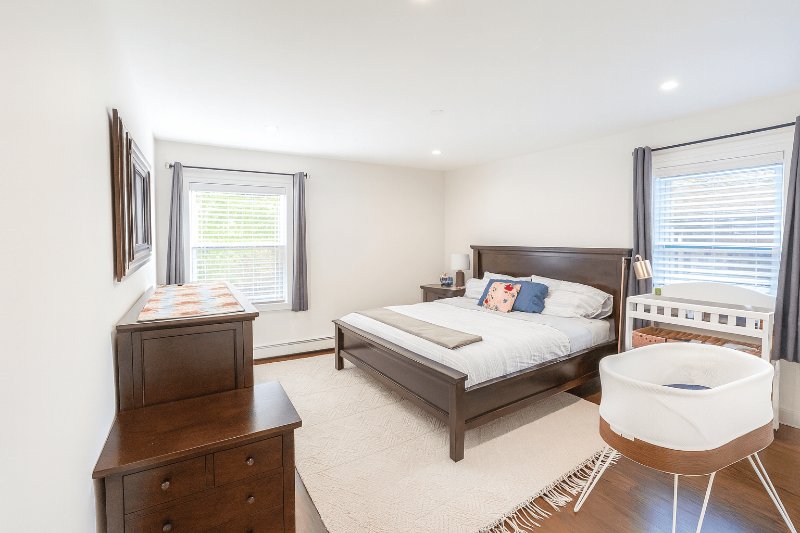
Airbnb now has a written rule about AI-edited listing photos. If you use any tool to improve your photos, it is worth knowing where the line is, because crossing it can get photos removed and, in serious cases, a listing suspended.
This guide covers what the rule says, which edits are safe, which are not, and how to use AI on your photos without risk.
What Airbnb's rule says
The rule sits under listing accuracy in Airbnb's ground rules for hosts. Photos and descriptions have to accurately represent the space. Airbnb says it will ask hosts to remove content if AI or other digital technology has been used to edit flaws, hide damage, add amenities or attributes that are not part of the listing, or otherwise misrepresent it.
The rule does not ban editing. It bans editing that changes what the guest will find when they open the door.
This is being enforced. In July 2026, CTV News reported that Airbnb refunded a family and suspended a Toronto listing while it reviewed it, after the family said the photos had been generated with AI and did not match the unit.
The test: light or the room?
A simple way to judge any edit: does it change how the photo was taken, or does it change the room?
A dark photo of a bright room is a bad photo of a real room. Fixing it makes the photo more accurate, not less. Removing a crack in the wall changes the room. The guest will see the crack.
Edits that are safe
- Exposure and brightness. Phone cameras expose for the window and leave the room dark. Correcting that shows the room as it looks in person.
- White balance. Removing the yellow or blue cast from indoor lighting. See our white balance guide.
- Straightening. Fixing tilted walls and leaning verticals caused by the way the phone was held.
- Sharpness and noise. Cleaning up a grainy low-light photo.
- Cropping. As long as you do not crop out something a guest needs to know about.
Edits that need care
- Removing clutter. Taking out a bin, a cable or a jacket on a chair is fine, because those things will not be there at check-in. Removing something permanent, like a radiator, a stain or the neighbour's building in the view, is not.
- Sky replacement. A blue sky in place of a grey one does not misrepresent your property, but do not add a sea, mountains or a sunset view the listing does not have.
Edits to avoid on Airbnb
- Hiding damage. Stains, cracks, mould, worn floors, chipped tiles.
- Adding things. Furniture, a hot tub, a fireplace, plants, a bigger TV.
- Virtual staging. Staging an empty room with furniture is useful when you sell or rent an unfurnished home, where buyers know the furniture is illustrative. On a short-term rental the guest expects the furniture in the photo, so do not use it there.
- Changing size or layout. Stretching a room, widening a window, or generating a view of a room that does not exist.
- Fully generated images. Any photo that is not based on a real photograph of your place.
How to use AI on Airbnb photos safely
- Start from a real photo of the room as guests will find it.
- Use AI for light, colour and straightening. That is where most of the improvement comes from anyway.
- Compare before and after. If anything in the room appeared, disappeared or changed shape, do not use that result.
- Fix real problems in real life. If a stain shows up in the photo, the fix is cleaning, not editing.
- Keep your originals, in case Airbnb or a guest ever asks.
Where ProntoPic fits
ProntoPic's Enhance mode works on the photo you upload: it corrects exposure, colour and perspective, and keeps the room as it is. You get a before and after for every photo, so step 3 above takes a few seconds. If a result changes something it should not, there is a "Something wrong?" button on the result and we re-run it for free.
It costs $1.50 per photo with no subscription, and the first 2 photos are free. For the full checklist, from shooting to choosing the cover photo, see how to improve Airbnb photos. You can also check the rest of your listing with the free Airbnb listing checker and title checker.
Try it on your cover photo, since that is the one guests see in search.